
 English
 Svenska
Smart Inbox Automation
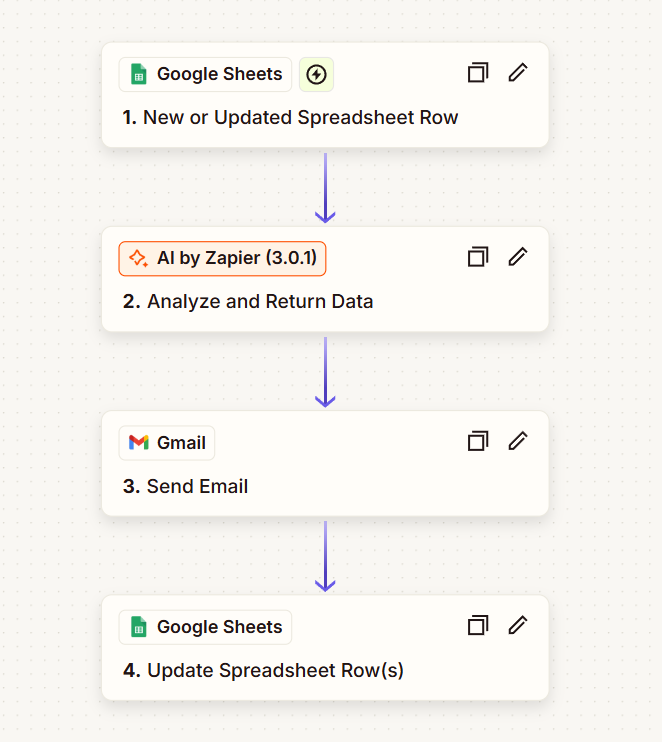
The core idea is simple: once a row is created or updated in Google Sheets, the workflow triggers. AI generates a context-aware reply, Gmail sends it automatically, and the spreadsheet is updated so you can track status without manual follow-up.
Trigger
Google Sheets row change
New / updated row starts the automation.
AI step
Personalized email drafting
AI creates a tailored reply from the row data.
Send
Gmail dispatch
Email is sent automatically with the AI response.
Update
Sheet status tracking
Row updated with “sent / delivered / notes”.
Key Benefits
- End-to-end AI email assistant triggered by Google Sheets
- Automatically replies and tracks updates using Gmail
- No-code setup with Zapier + AI + Sheets
- Perfect for support, outreach, and admin workflows
Tip
Want this adapted for your business? We can customize the workflow to match your templates, tone, and CRM.
Contact us →